Wispr Flow is an AI-powered voice dictation tool that converts natural speech into polished, formatted text across any application on Mac, Windows, iOS, and Android. It uses OpenAI's Whisper model with an AI post-processing layer to automatically remove filler words, add punctuation, and match the user's writing tone. Wispr Flow offers a free Basic plan with 2,000 words per week and a Pro plan at $12-15 per month for unlimited dictation. For knowledge workers who write extensively, it replaces typing with natural speech at three to four times the speed.
I type for a living. Emails, Slack messages, articles, code comments, project briefs. On a busy day, that's 5,000+ words pushed through a keyboard. I hadn't talked to my computer since trying those speech-to-text applications on CDs in the 90s. Then I tried Wispr Flow.
The difference was immediate and almost absurd.
Here's the thing most people don't realize: you think at 400+ words per minute, but you type at 40-60 WPM. That gap is where ideas get lost and time disappears. A Stanford study found that speech input is approximately 3x faster than typing with fewer errors. Once I saw those numbers play out in my own work, I couldn't go back.
This is my honest Wispr Flow review after using it daily across my ecommerce business, software development, and content creation. I'll cover what it actually does, what it costs, where it falls short, and whether the productivity claims hold up.
What Is Wispr Flow (And Why Is Everyone Talking About It)?
Wispr Flow is an AI dictation tool that works in any application on your computer or phone. Open any text field, hold a keyboard shortcut, speak naturally, and your words appear as clean, formatted text. That's the pitch. But the real story is the technology underneath.
The reason dictation suddenly works in 2026 is OpenAI's Whisper model. Released in 2022, Whisper is a transformer-based encoder-decoder model trained on 680,000 hours of multilingual audio data. It processes speech in roughly 30-second chunks and produces surprisingly accurate transcriptions. It's open-source, which means anyone can build on top of it.
Most AI dictation apps are thin wrappers around Whisper. They take your speech, run it through the model, and give you back raw text. That raw text includes every "um," "uh," and false start you said. It's accurate but messy.
Wispr Flow does something different. It adds a proprietary AI post-processing layer that strips out roughly 40% of filler words, adds punctuation, fixes grammar, and adapts to your writing style over time. The result is text that reads like you typed it carefully, produced at the speed of natural speech.
The tool runs on Mac, Windows, iPhone, and Android (Android launched in February 2026). There's no Linux version. Audio is processed in the cloud, which means you need an internet connection, but the end-to-end latency sits at approximately one second from speech to text appearing on screen. That's fast enough that it feels real-time.
Wispr Flow has raised $81 million in funding at a $700 million valuation. Enterprise customers include Perplexity, Rivian, and Vercel. This isn't a weekend project. It's a well-funded product with serious engineering behind it.
How I Actually Use Wispr Flow Every Day
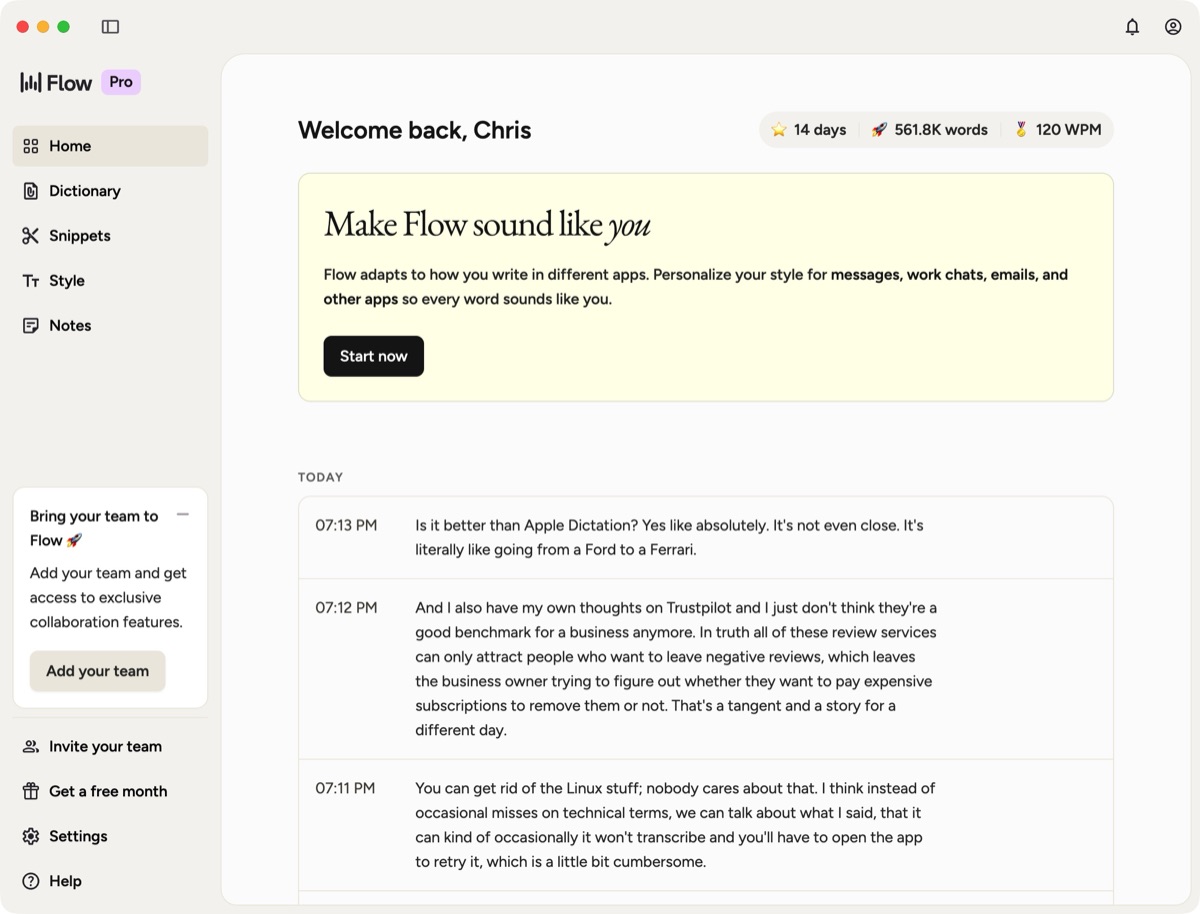
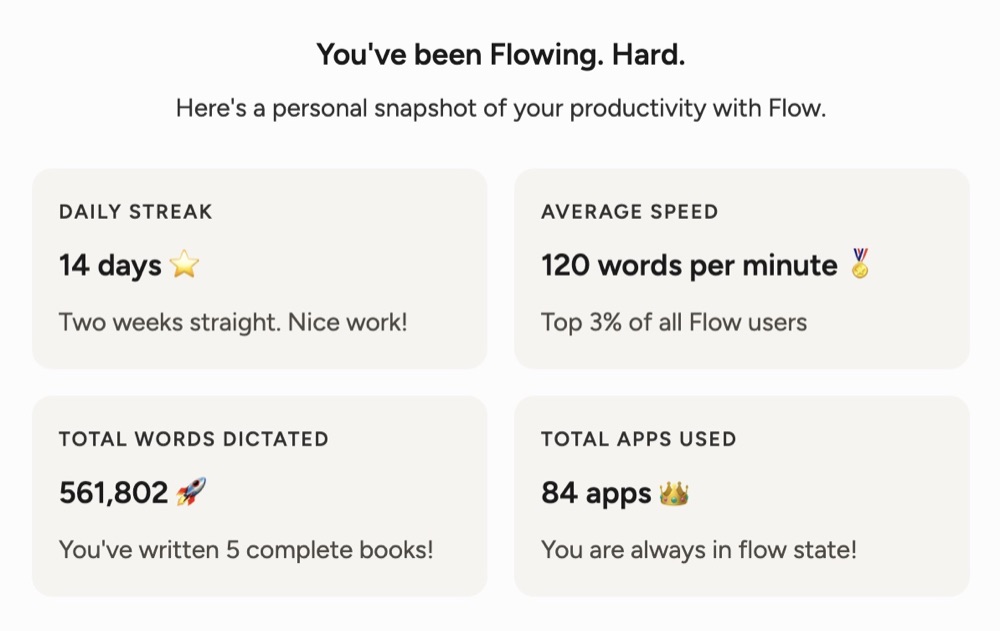
I was skeptical before I tried it. Talking to my computer felt weird. But here's how it actually fits into real work. My Wispr Flow dashboard shows 120 WPM average, which puts me in the top 3% of all Flow users. For context, a fast typist does 60-80 WPM. I'm nearly doubling that just by talking. I've dictated over 561,000 words across 84 different apps. That's the equivalent of five complete books.
Coding with LLMs (My #1 Use Case)
This is the biggest unlock and the thing nobody else talks about in Wispr Flow reviews. My main workflow on desktop is Wispr Flow paired with an LLM. Almost everything I speak goes straight into Claude Code, ChatGPT, or Cursor.
Here's why this changes everything: coding for hours on end is exhausting. Your fingers get tired. You have to think carefully about how to phrase things. You worry about spelling. You take longer to craft what you type because we're trained to write in structured, coherent sentences.
Speaking removes all of that. You can literally just say what you see. You can jumble up a load of stuff together, give it to the LLM, and the LLM figures out what you want from what you're saying. You're not limited by how you write things down anymore. You're limited by how you think about things. As long as you can describe what you're thinking, an LLM can interpret it.
I've noticed something since using AI more generally: the amount of garbage I write into an LLM is sometimes barely readable. But Claude Code or ChatGPT understands it anyway. So I've gotten incredibly lazy with crafting well-formed input. Speaking takes that even further. You can be far more expansive, far more productive, and you don't get tired. You just say whatever you think and feel.
This is fundamentally a new way of working. Thought streams don't work well when you're typing directly into a document. But thought streams combined with AI is where dictation comes into its own. The AI doesn't care if you've rambled, skipped a paragraph, or your text is one big long stream of consciousness. The whole point of combining dictation with an LLM is that you can express what you're thinking and have it coherently put together.
Phone: Direct Messaging on the Go
My phone workflow is completely different from desktop. On my phone, I'm not passing anything through LLMs. It's purely about speed for direct messaging.
If I'm walking down the street and want to continue a conversation on WhatsApp or Telegram, I don't want to stop and type. I just use Wispr Flow to talk into my phone. It formats everything perfectly rather than me sending some illegible mess or having to stop walking to actually type.
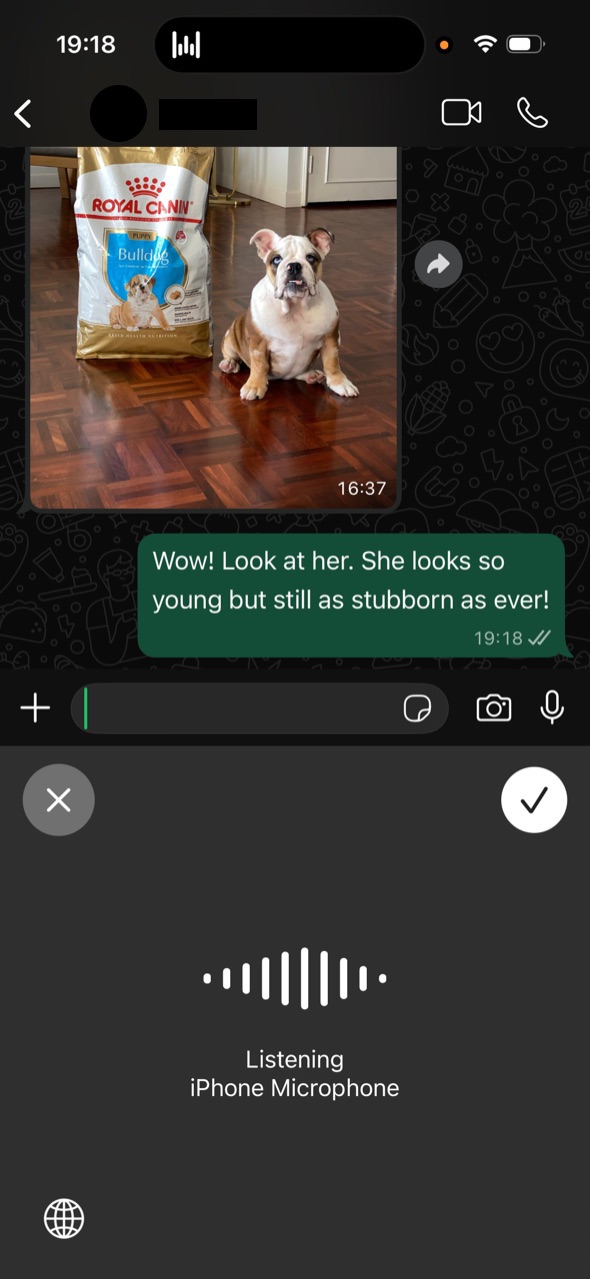
You'd think a third-party keyboard app would feel clunky on iOS, since anything that isn't native tends to be. But the way Wispr Flow handles it is surprisingly close to native. The way you trigger it to open, how it integrates with the text fields. It's pretty seamless most of the time.
Drafting and Reviewing Content
I dictated large portions of this review using Wispr Flow. The workflow: I read my outline, think about what I want to say for a section, then just talk it out. I still edit afterward, but the first draft comes together in a fraction of the time.
This is especially useful for reviewing content. You can literally read back what you've written, speak your thoughts about each section as you go, and give the whole thing to an LLM to help you correct it. No marking up documents, no commenting in Word. Just read, react, and let the AI sort it out.
The Thought Stream Workflow
This is the real insight. It's not that dictation is faster typing. It's that speaking unlocks a completely different way of thinking about your work.
When you type, you self-edit before you've even started. You craft sentences. You worry about structure. Speaking bypasses all of that. You just express what you're thinking, and either Wispr Flow cleans it up or you pass it to an LLM that makes sense of it.
You're not limited by how you write things down anymore. You're limited by how you think about things. That's a fundamentally different constraint, and for most people, it's a much easier one.
The Features That Actually Matter
I'll be honest: I don't really buy into all of Wispr Flow's AI features that much. The value for me is the user experience, the speed, and how it integrates into my workflow. I've tried other dictation apps and they just haven't felt right. Here's what actually matters in daily use.
Custom Dictionary (My Favourite Feature)
We all have different vocabulary. Brand names, product names, technical terms, people's names. Wispr Flow lets you teach it words so they're always transcribed correctly.
I added Ads Uploader, my dog's names, my email address, forum names, software tools. Without this, if a brand name is even slightly unusual, you end up with some weird transcriptions. With it, Wispr Flow nails them every time. This sounds small but it's the feature I'd miss most if it disappeared.
Snippets (Useful, But Be Careful)
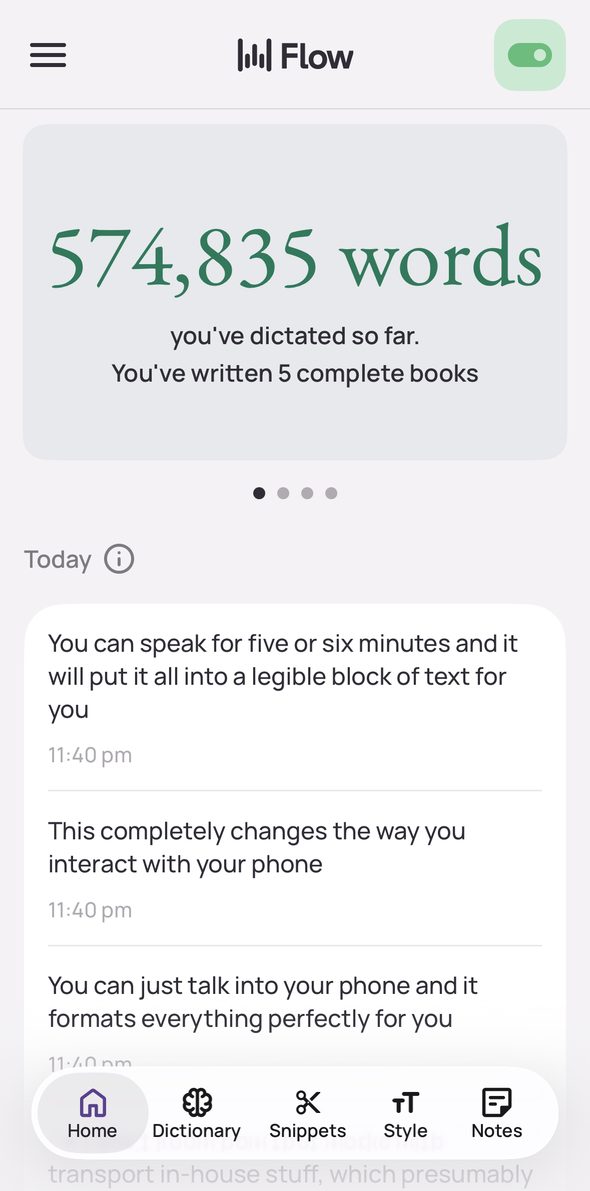
Snippets let you say a few trigger words and have them automatically expand into a full sentence or paragraph. Some people use these heavily for scheduling links, email sign-offs, or standard responses.
Personally, I don't use snippets much. If you're using too many of them, it's easy to accidentally trigger one and write something you didn't mean to. And honestly, you can speak fast enough that the time savings from snippets are marginal. They're a nice feature for specific use cases, but they're not the reason to use Wispr Flow.
AI Cleanup and Grammar
Wispr Flow does correct grammar, strip filler words, and add punctuation. It also has a "write like you" feature where it adapts to your tone over time. These are solid features that work as advertised.
But here's the thing: since my main workflow is dictation into an LLM anyway, the LLM handles all the cleanup. The AI features matter more if you're dictating directly into emails or documents, less if you're using the dictation-to-LLM workflow I described above. The accuracy is measurably better than alternatives. Wispr Flow achieves approximately 10% word error rate compared to around 27% for generic Whisper wrappers and roughly 47% for Apple's built-in dictation.
Want to Hear From Me Weekly?
I'm putting together a weekly email with the real stuff. What's working, what's not, and the tools I'm actually using to grow. Not live yet, but you can grab a spot. Totally free!
Whisper Mode
This feature lets Wispr Flow work even when you're whispering. If you're in a shared office, on a call, or just don't want to talk at full volume, you can whisper and still get accurate transcription. It's surprisingly reliable.
100+ Languages
Wispr Flow supports over 100 languages with automatic switching. You don't need to change settings. Just start speaking in a different language and it detects the switch. For multilingual professionals, this removes a real friction point.
Wispr Flow Pricing: Is It Worth the Cost?
Here's the full Wispr Flow pricing breakdown.
| Plan | Price | Word Limit | Platforms | Key Features |
|---|---|---|---|---|
| Basic | Free | 2,000 words/week (desktop), 1,000/week (iPhone) | Mac, Windows, iOS, Android | Core dictation, custom dictionary, snippets |
| Pro | $15/mo ($12/mo annual) | Unlimited | All | Command mode, priority support, all features |
| Student | ~$6/mo (after 3-month free trial) | Unlimited | All | Full Pro features |
| Enterprise | Custom | Unlimited | All | Admin controls, shared dictionaries, SSO |
The Pro plan includes a 14-day free trial with no credit card required.
The ROI Math Nobody Else Does
Let's run the numbers. Say you type for two hours a day. That's a conservative estimate for anyone writing emails, Slack messages, documents, and code.
If dictation is 3x faster than typing (backed by Stanford research), those two hours drop to about 40 minutes. You save roughly 80 minutes per day.
Over 250 working days, that's 333 hours saved per year.
At $50 per hour (a modest rate for a knowledge worker, developer, or business owner), that's $16,650 in time value. Even if you're conservative and say dictation only saves you one hour per day, that's still $12,500 per year.
The Pro plan costs $144 per year on the annual billing. That's an 18x return on investment.
You don't need a sophisticated financial model to see the value. If your time is worth anything, $12 per month is rounding error compared to the time you get back.
Free Tier Reality Check
The free plan gives you 2,000 words per week on desktop. That's about 400 words per day, or roughly one detailed email and a few Slack messages. It's enough to test whether dictation works for you. It's not enough for anyone who writes seriously.
I hit the free limit within two days and upgraded immediately. If you're evaluating Wispr Flow, use the 14-day Pro trial instead of the free tier. It gives you the full experience so you can make an informed decision.
What I Don't Like About Wispr Flow
No review is honest without the downsides. Here's what bothers me.
Speaking to Your Computer Feels Weird (At First)
I wouldn't call it a learning curve exactly, but it is genuinely awkward to speak to a computer at first. I find myself becoming more and more okay with it, but there's still a social element. If I have people in the house, they hear me talking and assume I'm on a phone call. I'll sit on the sofa with my laptop, speaking to the machine, much to the detriment of my wife who's trying to watch TV. Speaking quietly into your phone in public without holding it to your ear still feels a little odd.
You get past it. I now spend more time speaking to the computer than typing into it. But the initial awkwardness is real, and it's worth knowing going in.
The Escape Key Problem (Mac)
On Mac, you press the function key to start dictating and double-tap it to hold, which I do almost every time. The problem is that if you hit Escape to close something else while dictating, it cancels the transcription. You then have to quickly open the Wispr Flow app and retry it because the recording has already been discarded. This has caught me out more times than I'd like. It's probably solvable by remapping the keyboard shortcuts, but it's a friction point out of the box that's worth mentioning.
Occasional Transcription Failures
About 99% of the time, Wispr Flow works perfectly. But that 1-2% where there's a small delay in the audio processing, or the transcription just doesn't come through, can be frustrating. Sometimes it requires a retry.
The good news is that even when transcription fails, the audio recording is saved. You can open the app and retry it. But obviously it's not ideal when it happens mid-flow. I'm confident this will improve over time as the technology matures.
The Trustpilot Score Looks Bad (But Context Matters)
Wispr Flow has a 2.7 out of 5 rating on Trustpilot. The App Store rating is 4.8 out of 5. That gap looks alarming at first glance.
Honestly, I don't think Trustpilot is a good benchmark for any business anymore. These review platforms almost exclusively attract people who want to leave negative reviews. The business owner then has to decide whether to pay expensive subscriptions to manage them. That's a story for a different day, but it's worth understanding the dynamic.
The App Store rating, where you're far more likely to get reviews from actual daily users, tells a different story. The product is excellent. The Trustpilot complaints are mostly about support and billing, not about the dictation itself.
Cloud Processing (But Everything Is)
I know a lot of people raise concerns about audio being processed in the cloud. But honestly, everything is already in the cloud. Your files are in iCloud. Your documents are in Google Drive. Your conversations are in ChatGPT and Claude. Your emails are in Gmail. At this point, I just don't buy into it being a meaningful concern for most people.
If you do handle genuinely sensitive information, Wispr Flow has the credentials: SOC 2 Type II compliance, ISO 27001 certification, and HIPAA readiness with signed Business Associate Agreements. They also offer a zero data retention mode where no audio or text is stored after processing. SuperWhisper, the closest competitor, lacks SOC 2 and ISO certifications.
Maybe local processing will matter more in the future when local language models are easier to run. For now, having the slickness of Wispr Flow is worth the monthly subscription. The UX is what makes it work, and that's hard to replicate with a local-only solution.
Something New Is Coming...
A weekly breakdown of what's working across SaaS, ecommerce, and online marketing. The kind of stuff I'd tell a friend. Not launched yet, but you can grab a spot. Totally free!
Who Should (And Shouldn't) Use Wispr Flow
Great Fit
- Developers who use LLMs: If you work with Claude Code, Cursor, ChatGPT, or any AI coding tool, dictation completely changes the dynamic. You can express complex ideas without the fatigue of typing for hours
- Content writers and creators: If you write more than a few hundred words per day, dictation will transform your output speed
- Business owners: Emails, Slack, project briefs, client communications. These small writing tasks add up, and dictation eliminates the friction
- People with RSI or typing injuries: Dictation removes the physical strain entirely. Multiple users describe it as "life-changing" for this reason
- Multilingual professionals: Auto-switching between 100+ languages without changing settings is genuinely useful
Not a Great Fit
- Truly silent shared offices: If you have zero private space and whispering isn't an option, dictation is impractical
- Offline-only requirements: Wispr Flow requires an internet connection. If you work in environments without reliable connectivity, it won't work
- Casual typists: If you only write a few messages per day, the free tier covers you, but the productivity gain doesn't justify the adjustment period
The Viral "Oh Wow" Moment
Wispr Flow has a refer-a-friend feature, and it's some of the smartest viral marketing I've seen. People have this "oh wow" realization when they first use it and end up sharing it with friends. I can confidently say that pretty much every friend I've shared it with has become a paid subscriber. That's just how well it works once you experience it.
The "aha moment" usually hits around day three to five. You stop thinking about the tool. You just start talking. That's when dictation stops being a novelty and becomes your default way of getting words on screen.
Frequently Asked Questions
Is Wispr Flow free?
Yes. The Basic plan is free with 2,000 words per week on desktop and 1,000 words per week on iPhone. Pro starts at $12 per month billed annually or $15 per month. There's a 14-day free Pro trial with no credit card required.
Is Wispr Flow safe?
Wispr Flow is SOC 2 Type II compliant, ISO 27001 certified, and HIPAA-ready with a signed Business Associate Agreement. The zero data retention privacy mode ensures no audio or text data is stored after processing.
How much does Wispr Flow cost?
Free for basic use. Pro is $15 per month or $12 per month billed annually ($144/year). Students pay approximately $6 per month after an initial three-month free period. Enterprise pricing is custom.
Does Wispr Flow work on Windows?
Yes. Wispr Flow works on Mac, Windows, iPhone, and Android. There is no Linux version.
Is Wispr Flow better than Apple Dictation?
It's not even close. Going from Apple Dictation to Wispr Flow is like going from a Ford to a Ferrari. Apple gives you raw transcription with high error rates and no cleanup. Wispr Flow removes filler words, adds punctuation, matches your writing tone, and produces text you'd actually be happy sending. For anything beyond a quick Siri command, Wispr Flow is in a completely different league.
The Bottom Line
Wispr Flow is the best AI dictation tool I've used. Not because of its AI features, but because the user experience is right. It feels fast, it integrates into everything, and it just works. I've tried other dictation apps and they haven't come close.
The real value isn't the grammar cleanup or the tone matching. It's that speaking at 120+ WPM instead of typing at 50 WPM changes how you work. Pair that with LLMs and you have a completely different workflow where thought streams become structured output.
The free tier is good enough to test whether dictation works for you. The Pro plan is worth it if you write or code more than a couple of hours per day. At $12 per month, the ROI math makes the decision trivial.
If you write or code for a living, try Wispr Flow free for 14 days and see the difference yourself.